Learning how to train AI on your brand voice is the difference between publishing content that sounds like everyone else and content that sounds unmistakably like you.
Here’s the problem most teams run into: AI writes your blog posts, drafts your social captions, and generates your email sequences. Then you read the output and realize it sounds exactly like your competitor’s content. Same tidy sentences. Same agreeable rhythm. Same faint smell of nobody in particular. And the next generation of leaders has noticed. A 2025 Google Workspace survey of U.S. knowledge workers aged 22–39 who hold or aspire to leadership roles found that 92% want AI with personalization, meaning output tailored to their writing style or their organization’s brand guidelines.
The good news is that training AI on your brand voice is not a technical challenge. It’s a documentation challenge. You already have a brand voice. It’s just scattered across style guides, decks, emails, and the way your team actually writes. This guide shows you how to gather that material, structure it for AI, and set up a system that keeps every piece of content on-brand.
A quick note on the word “train”: none of the tools below retrain the underlying AI model. They store your examples and rules and apply them as context every time you generate content. That’s good news, because it means you can update your voice anytime without starting over.
Quick Comparison: AI Brand Voice Features by Tool
Before diving into the step-by-step process, here’s how the major AI platforms handle brand voice in 2026:
| Tool | Brand Voice Feature | Setup Method | Best For |
|---|---|---|---|
| Jasper | Brand Voice (Jasper IQ) | Upload up to 8 examples (text, .txt, .pdf, .docx, URLs) | Marketing teams needing consistent brand voice at scale |
| Claude | Projects + Styles | Upload voice document + real writing samples | Long-form content with nuanced tone matching |
| ChatGPT | Custom Instructions + Projects/Custom GPTs | Personalization settings + uploaded reference files | Versatile drafting with flexible voice control |
| Copy.ai | Brand Voice | Paste existing content (300+ words recommended) | Short-form copy and GTM workflows |
| Writer | Voice profiles + style guide and terminology rules | Upload sample copy; set approved terms and style rules | Enterprises needing enforced brand compliance |
What Is “Brand Voice” for AI, Exactly?
Before you can train AI on your brand voice, you need to understand what an AI model actually “sees” when you give it instructions.
Most teams treat brand voice as a vibe. For a language model, it’s a set of recognizable patterns. These include:
- Word choice: The vocabulary you prefer and the words you avoid
- Sentence structure: Short, punchy sentences versus long, flowing clauses
- Formality level: Whether you write like a peer or a professional
- Rhythm and pacing: How your sentences move together
- Formatting: How you use headings, bullet points, disclaimers, and CTAs
- Sentiment: The emotional arc of your messages
The more consistently these patterns show up across your samples, the easier it is for an AI model to reproduce them.
The key insight: You don’t need a computer science degree. You need a curated set of examples and clear rules.
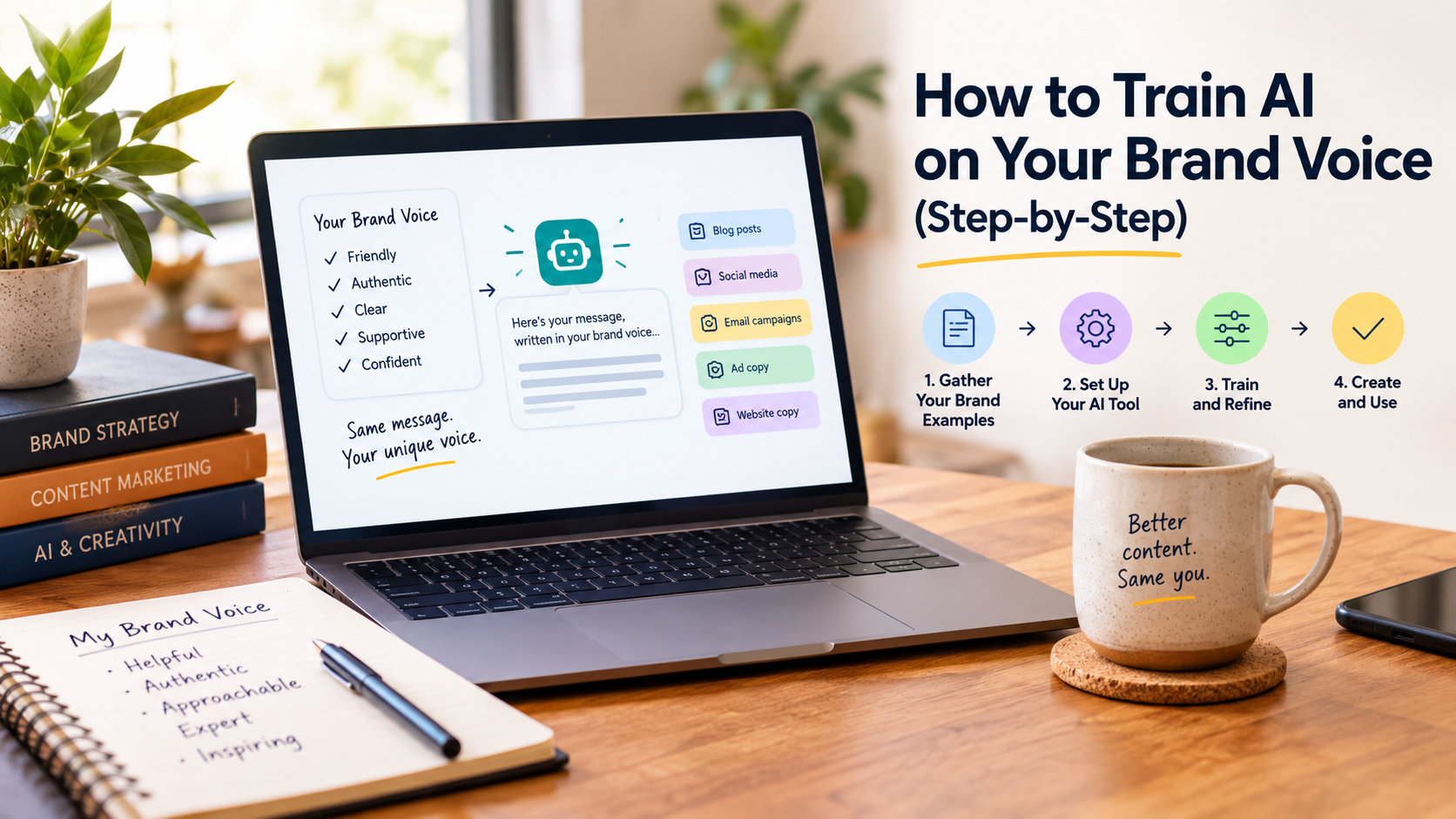
The 6-Step Process for Training AI on Your Brand Voice
Step 1: Raid Your Own Archive
You already have a brand voice. It’s just scattered everywhere.
Before you write a single instruction, gather your marketing materials. Find the style guide everyone forgot about after the rebrand. Pull the deck your founder has every new hire read. Dig into the customer support emails that customers reply to just to say “thank you.”
What to collect:
- Style guides and brand positioning documents
- Past social posts, articles, and emails that nail your organizational voice
- Transcripts of leadership talks or presentations that capture how key leaders communicate
- Top-performing landing pages, product pages, and campaigns
- Support macros that earn high satisfaction scores
How to organize it:
Create one working folder with subfolders for easy navigation:
- 01 Brand docs
- 02 Voice examples
- 03 Visual examples
- 04 Content formats
- 05 Don’t sound like this
Pro tip: Be ruthless during the audit. For each asset, note three things: what to keep, what to avoid, and why it matters. That “why” becomes the rule the AI follows.
Step 2: Build Your Brand Foundation Document
Now consolidate everything into a single, focused document. Most AI tools cap how many files you can upload, so a few dense files work better than a junk drawer of scattered materials.
Keep this document small—painfully small. It isn’t the place for every tagline, campaign line, and abandoned slogan.
Your foundation document should include six sections:
- Brand summary: One paragraph. What the company does, who it helps, and why anyone should care.
- Mission: One or two sentences. The hill the brand would die on.
- Audience: The emotional context, not just demographics. Who are these people, and what do they actually care about?
- Positioning: How the brand sits in the market. What makes it different from the obvious alternatives?
- Personality traits: Four or five traits with teeth. Skip words like “innovative” or “authentic” that have been left in the sun too long. Describe each trait in enough detail that an AI can make an actual judgment call.
- What we aren’t: The anti-list. What the brand would never sound like.
How to write your voice rules:
Instead of saying “we’re bold but approachable,” spell out the behavior: “Use direct verbs, avoid hedge words like ‘might’ or ‘maybe,’ and write at an 8th-grade reading level using inclusive, gender-neutral language.”
That kind of specificity is what separates AI output that needs heavy editing from AI output that ships.
Step 3: Build Your Sample Library (The Training Set)
Real examples beat abstract descriptions. This is the single most important principle in AI brand voice training.
Context makes a measurable difference. In a 2025 study published on arXiv, researchers randomly assigned 331 participants to write a marketing campaign with generic, partially personalized, or fully personalized AI. Participants using the fully personalized, AI-produced campaigns rated them significantly higher for quality and creativity. That study tailored the AI to the individual writer rather than to a brand, but the lesson carries over: the more real context the model has, the better the output.
How many samples do you need?
There’s no official number, but a common rule of thumb is:
- Minimum: 5–10 strong examples
- Better: 15+ reference pieces across different formats
With only one sample, the model tends to parrot that sample rather than apply the voice to a new topic.
What kinds of samples to include:
- Blog posts (different topics, same voice)
- Social captions (short-form)
- Email sequences
- Product descriptions
- Landing page copy
Pro tip: If your voice shifts by format, group your samples by content type and label them (for example, “Blog” and “Social”). That way the AI learns how the voice flexes rather than averaging everything together.
Step 4: Set Up Your AI Tool
Now you have the raw material. Here’s how to load it into the major platforms.
For Jasper
Jasper’s Brand Voice feature is purpose-built for this workflow.
Setup steps:
- Navigate to Brand Voice in the Jasper IQ section of the left sidebar
- Click + Add Brand Voice
- Choose visibility (workspace or private)
- Upload up to 8 examples of text, files (.txt, .pdf, .docx), and/or URLs
- Review the generated voice description and enable excerpts to improve accuracy
- Click Preview Brand Voice and test it with a Blog Post, LinkedIn Post, or Product Description
- Save your changes
Once your voice is set up, Jasper also flags off-brand tone in generated content and suggests adjustments, so fewer problems reach your review stage.
Jasper plan limits: Pro includes 2 Brand Voices. Business includes unlimited Brand Voices plus Style Guide rules.
For Claude
Claude uses two features together: Projects (what Claude knows) and Styles (how Claude sounds).
- Start with your foundation document. Use the voice rules and samples you built in Steps 2 and 3.
- Create a Claude Project. Projects let you set instructions and upload reference documents that apply to every conversation inside the project. Upload your voice document and best existing content, then add project instructions covering structure, formatting, and anything Claude should avoid. Every new chat in the project starts with this context already loaded.
- Create a custom Style. Styles control how Claude communicates, separate from what it knows. Open the + menu in a chat, hover over Use style, click Create & edit styles, then click Create custom style. Choose Add writing example and paste or upload your own published content rather than describing the tone.
- Add voice reminders for long-form content. With any AI tool, adherence to style can loosen over long outputs. For long pieces, generate section by section and repeat a short voice reminder before each one.
Pro tip: Projects and Styles solve different problems. A Project holds your knowledge and instructions. A Style controls tone and structure. Using both gives Claude the fullest picture of your brand.
For ChatGPT
ChatGPT uses Custom Instructions for voice and Projects or Custom GPTs for reference material.
1. Set Custom Instructions. Open ChatGPT → Settings → Personalization, make sure customization is enabled, and fill in the Custom Instructions fields.
- Add your role, industry, and target audience
- Define 3–5 brand traits for a consistent voice
- Add professional context (budget, KPIs, platforms)
Custom Instructions shape how ChatGPT responds. They don’t give it access to your documents.
2. Add your reference files (optional). For a more persistent brand voice, create a Project or build a Custom GPT with your brand foundation document uploaded. Write clear instructions, such as: “You are a communications assistant for [organization]. Use only the uploaded brand guidelines and voice documents to generate content.”
For Copy.ai
Copy.ai’s Brand Voice feature is straightforward.
Setup steps:
- Click Brand Voice in the left-hand navigation, then Create Brand Voice
- Paste previously published content that represents your brand’s voice (Copy.ai recommends at least 300 words)
- Click Analyze Brand Voice
- Edit the result as needed, name it (e.g., “Blog Voice” or “Executive Thought Leadership”), and save
Step 5: Test and Iterate
Don’t accept the first output. Run a real piece of content through the tool and compare it against the same prompt in a generic AI session.
What to test:
- Generate a LinkedIn post or email draft
- Compare the voice-trained output against the generic output
- Ask five people on your team which one sounds more like your brand, without telling them which is which
Signs your setup still needs work:
- The opening line restates the topic instead of making a point
- Every paragraph is close to the same length
- Transition phrases repeat across multiple pieces of content
- The tone matches your instructions, but the sentence rhythm still feels flat
The fix: Add another writing sample to your library (Step 3), or tighten the rules in your foundation document (Step 2).
Step 6: Build a Feedback Loop
Training AI on your brand voice isn’t a one-time setup. It’s an ongoing process.
What to do after every content batch:
- Tag the failures. When an output misses the mark, note why. Was it too formal? Too generic? Missing your signature phrases?
- Update your voice document. Add new rules as you discover them.
- Add new samples. Every time you publish something that nails the voice, add it to your sample library.
- Run monthly maintenance. A short monthly review keeps the system current.
Common Mistakes to Avoid
Mistake 1: Describing Your Voice Instead of Showing It
Descriptions like “professional but approachable” mean different things to different people, and to the model. A real writing sample removes that ambiguity because the AI can match actual sentence structure and word choice.
The Fix: Always include real samples, not just adjectives.
Mistake 2: Using Only One or Two Samples
A thin sample library gives the model too little to generalize from, so it copies surface details instead of learning the voice.
The Fix: Aim for 5–10 strong samples at minimum.
Mistake 3: Skipping the Anti-List
What you don’t say matters as much as what you do. Without a list of banned clichés and patterns, AI tends to drift into generic corporate prose.
The Fix: Build an explicit “don’t sound like this” list and include it in your voice document.
Mistake 4: Not Reviewing Long-Form Content for Drift
AI tone can drift over long outputs, and sections written separately can read slightly differently side by side.
The Fix: Break long content into sections with voice reminders, then review the assembled draft as one piece.
Mistake 5: Treating Brand Voice as a One-Time Setup
Brand voice evolves. New products launch, audiences shift, and your language changes. A static voice document goes stale.
The Fix: Set a monthly reminder to review and update your voice materials.
The Bottom Line
Training AI on your brand voice comes down to three things: gathering your best examples, documenting your rules explicitly, and building a feedback loop that keeps the system up to date.
You don’t need technical expertise. Expect to spend a few hours on the initial setup, most of it gathering content, plus a short monthly check-in. The tools covered here (Jasper, Claude, ChatGPT, and Copy.ai) can all apply your voice once you give them the right material. The work is in the documentation.
Start with Step 1 today. Open a folder and start gathering your best content. You’ll be surprised how much material you already have.
Pick one tool from this guide. Set up your brand voice this week. Run a real piece of content through it. See how much closer you get to publishing without editing.
Frequently Asked Questions About Training AI on Your Brand Voice
Q: How long does it take to train AI on your brand voice? A: Most teams can finish the initial setup in a few hours, with a short monthly review after that. The bulk of the time goes into gathering and organizing your existing content.
Q: How many writing samples do I need to train AI on my brand voice? A: A good rule of thumb is 5–10 strong examples at minimum, and more is better. Fifteen or more pieces across different formats give the model a richer pattern to follow. Check each tool’s limits, too. Jasper, for example, accepts up to 8 examples per Brand Voice.
Q: Can I train AI on my brand voice without a style guide? A: Yes, but you’ll need to create a voice document from scratch. Gather your best content, identify the patterns, and write down the rules you discover. The style guide is the output of the process, not the prerequisite.
Q: Which AI tool is best for brand voice training? A: It depends on your workflow. Jasper is purpose-built for marketing teams managing brand voice at scale. Claude Projects and Styles give nuanced control for long-form content. ChatGPT Custom Instructions work well for individual users. Copy.ai is straightforward for short-form copy.
Q: How do I know if my AI is actually matching my brand voice? A: Run a blind test. Generate the same piece with your voice-trained setup and with a generic AI session, strip out any branding, and ask five people which one sounds more like your brand. If they can’t reliably pick the voice-trained version, you have more work to do.
Q: Does brand voice training work for small businesses? A: Yes. The process is the same whether you’re a solo consultant or an enterprise marketing team. Small businesses often have an advantage because the founder’s voice is already consistent and easy to document.