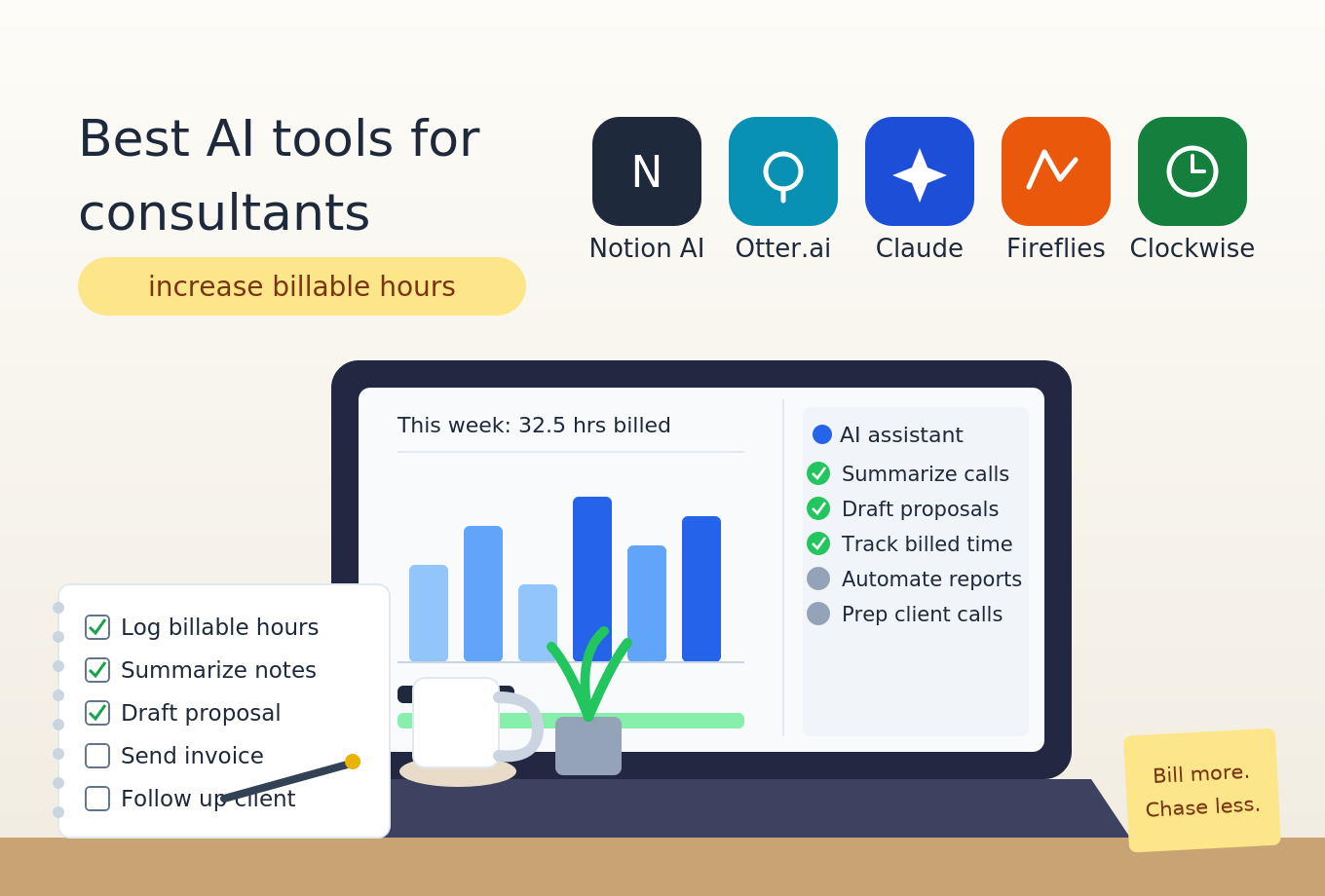
Best AI Tools for Consultants

Best AI Tools for Consultants (Increase Billable Hours)

If you’re a consultant, you’ve probably asked yourself: what are the best AI tools for consultants that actually increase billable hours?

The math is simple. Every hour you spend on admin, research, data cleaning, proposal writing, or slide formatting is an hour you’re not billing. According to the 2026 SPI Professional Services Maturity Benchmark, high-performing professional services firms achieved around 14.5% EBITDA, significantly outperforming the industry average of 9.9%. The gap is real—and widening.

The right AI tools don’t just save time. They let you front-load the grunt work so you can spend your week on what clients actually pay for: judgment, strategy, and relationship management. As one consulting automation guide puts it, “You can automate roughly 99% of your consulting practice with AI in 2026—and the 1% you keep is the part clients actually pay for.”

This guide covers the best AI tools for consultants in 2026, ranked by the actual consulting workflow: research, meetings, proposals, data analysis, presentations, and automation. Whether you’re an independent consultant or part of a boutique firm, you’ll find tools that fit your workflow and budget.

Quick Comparison: Best AI Tools for Consultants at a Glance

ToolBest ForStarting PriceFree PlanKey Strength
PerplexityDeep market & competitor research$20/mo ($17/mo annual)✅ LimitedCited, verifiable answers with sources
NotebookLMDocument-based research & synthesisFree / $19.99/mo (Pro)✅ 200 notebooksSource-grounded answers; podcast-style summaries
ClaudeLong-form analysis & slide narratives$20/mo ($17/mo annual)✅ YesStrongest reasoning for consulting deliverables
NottaBot-free meeting transcription~$7–8/mo (annual)✅ Limited58 languages; turns meetings into deliverables
FathomFree AI meeting summariesFree / ~$15–20/mo✅ Yes (5 summaries/mo)60-second post-call summaries
TaskadeFull consulting practice automationFree / $16/mo (Pro)✅ YesMulti-agent teams; client portals; 100+ integrations
o11Excel data cleaning & automationFree / $20/mo (Pro)✅ YesTurns “Phase 0” data cleanup into “Hour 1”
Prezi AIDocument-to-presentation in seconds~$15–20/mo✅ TrialSub-8-second deck generation from uploaded docs
DeckaryConsulting-grade PowerPoint slides$49/yr (Starter) / $119/yr (Premium)Framework slides, waterfall charts, MECE structure
AutogenAIEnterprise proposal draftingCustom (enterprise)Full lifecycle proposal automation

What Makes a Great AI Tool for Consulting Professionals?

Before diving into the rankings, let’s establish what separates a great consulting tool from a generic AI assistant:

  1. Output quality: Can it produce consulting-grade deliverables—slides, models, proposals—not just generic text?
  2. Context retention: Does it hold your client’s context across an entire engagement?
  3. Integration: Does it work with your existing stack (PowerPoint, Excel, CRM)?
  4. Privacy: Can you use it with client data without violating confidentiality?
  5. Speed: Does it genuinely save hours, or just minutes?

The firms that win with AI share three things: client data and engagement context live in one place, there’s a clear policy on which tool gets used for which job, and the operational structure exists actually to apply the tools. Tools alone don’t transform a consulting firm—the foundation is the part most firms skip.

The Top AI Tools for Consultants Ranked

1. Perplexity — Best for Deep Market & Competitor Research

Starting Price: Free / $20/mo ($17/mo annual) | Best for: Research that needs to be verifiable

Perplexity has become the go-to research tool for consultants in 2026. It combines web search with AI reasoning, delivering cited answers with sources you can actually verify. One McKinsey-style consultant describes it as “the deepest and most robust option I’ve found” for market research.

What makes Perplexity different:

  • Cited answers: Every response includes sources you can check—no hallucinations
  • Deep Research: Can do hours of research in minutes
  • File uploads: Analyze client documents alongside web research
  • Pro search: Unlimited Pro searches on paid plans

Pricing 2026: Free tier with limited Pro searches. Pro at $20/month (monthly) or $17/month (annual).

How consultants use it:

  • Competitor intelligence briefs: “Research [client’s competitor] and produce a competitive intelligence brief covering business model, recent strategic moves, and three implications for our client”
  • Market sizing: Rapidly gather market data without spending hours on Google
  • Industry trends: Stay current on developments in your client’s industry

The catch: The free tier has usage limits. Pro is required for Deep Research and file uploads.

Best for: Consultants who need verifiable research with sources they can actually check.

2. NotebookLM — Best for Document-Based Research & Synthesis

Starting Price: Free / $19.99/mo (Pro) | Best for: Research grounded in client documents

NotebookLM, from Google, is one of the most generous free tools for consultants. It lets you upload documents, URLs, and notes, then ask questions grounded only in those sources—eliminating hallucinations.

What makes NotebookLM different:

  • Source-grounded answers: Only answers based on your uploaded materials
  • 200 notebooks, 100 sources per notebook on the free tier
  • Podcast-style audio summaries: Generates audio overviews of your documents
  • 50 chat queries per day on the free tier

Pricing 2026: Free tier with 200 notebooks, 100 sources per notebook. Google AI Pro at $19.99/month.

How consultants use it:

  • Client onboarding: Upload all client materials and ask, “What are the key risks in this engagement?”
  • Research synthesis: Combine multiple documents into a single coherent summary
  • Due diligence: Rapidly review large document sets

The catch: Limited to your uploaded sources—no external search. The free tier has usage limits.

Best for: Consultants who need to synthesize information from multiple client documents without hallucinations.

3. Claude — Best for Long-Form Analysis & Slide Narratives

Starting Price: Free / $20/mo ($17/mo annual) | Best for: Consulting deliverables that require nuance

Claude, from Anthropic, has become the favorite AI tool for consultants who need long-form, nuanced output. In independent testing across consulting tasks, Claude Opus 4.8 achieved the highest average score overall. It’s particularly strong at holding context across long documents and producing the kind of structured analysis that becomes slide narratives.

What makes Claude different:

  • Strongest reasoning: Consistently outperforms competitors on complex consulting tasks
  • Projects: Create dedicated workspaces for each client
  • Long-form excellence: Produces structured analysis that needs minimal editing
  • Claude Science (beta): Integrates 60+ scientific databases for research-heavy engagements

Pricing 2026: Free tier available. Pro at $20/month ($17/mo annual) unlocks Claude Opus and Projects.

How consultants use it:

  • Project kickoff documents: “Produce a kickoff document covering objectives, scope, stakeholders, workstreams, milestones, and risks”
  • Slide narratives: “Here’s raw data—produce a slide narrative: headline, three supporting bullets with data points, and one ‘so what’ recommendation”
  • Pre-meeting preparation: “Based on our previous work, what are the three most likely objections and the strongest answer to each?”

The catch: No built-in file management for deliverables. You’ll need to copy and paste between Claude and your document environment.

Best for: Consultants who need structured analysis that turns into client-ready deliverables.

4. Notta — Best Bot-Free Meeting Transcription

Starting Price: ~$7–8/mo (annual) | Best for: Consultants who need multilingual meeting records

Notta is the best overall bot-free AI meeting tool for consultants. It combines real-time transcription in 58 languages with summaries, searchable meeting records, reports, presentations, and follow-up emails—all without adding a visible bot to your client calls.

What makes Notta different:

  • 58 transcription languages with bilingual support for 23 language pairs
  • Turns meetings into deliverables: Summaries, reports, presentations, follow-up emails
  • Local recording option: Keep recordings local when client confidentiality requires it
  • Bot-free: No visible participant ever joins your client calls

Pricing 2026: Free tier with limited minutes. Pro at approximately $7–8/month (annual) or ~$13.99/month (monthly).

How consultants use it:

  • Client call summaries: Never take notes during meetings again
  • Multilingual meetings: Support for 58 languages with bilingual capability
  • Deliverable creation: Turn a client conversation directly into a report or presentation

The catch: The free tier has usage limits. Some advanced features require paid plans.

Best for: Consultants who need multilingual meeting records and a practical path from client conversation to deliverable.

5. Fathom — Best Free AI Meeting Summaries

Starting Price: Free / ~$15–20/mo | Best for: Consultants who want quick, actionable meeting summaries

Fathom records, transcribes, and summarizes calls—and sends summaries within 60 seconds of each call ending. It’s the go-to for consultants who want speed without complexity.

What makes Fathom different:

  • 60-second summaries: Actionable recaps delivered almost immediately
  • Action item extraction: Automatically separates decisions from discussion
  • Live summaries: See key points as the meeting happens
  • Ask Fathom: Query past transcripts without re-reading

Pricing 2026: Free plan with unlimited recordings and 5 AI summaries/month. Premium at approximately $15–20/month.

How consultants use it:

  • Client call summaries: Never take notes during meetings again
  • Action item extraction: Automatically separate decisions from discussion
  • Highlight clipping: Tag moments mid-call for later reference

The catch: Bot-free 3.0 rollout currently limited to Mac and English-language meetings.

Best for: Consultants who want quick, actionable meeting summaries without complexity.

6. Taskade — Best Full Consulting Practice Automation

Starting Price: Free / $16/mo (Pro) | Best for: Consultants who want to automate their entire practice

Taskade Genesis is a full consulting practice OS—Memory (client records), Intelligence (the agent team), and Execution (automations) already wired into one self-reinforcing loop. It’s not just a tool; it’s a system that runs your practice.

What makes Taskade different:

  • Multi-agent teams: Research → write → review agents with 34 tools each
  • Built-in client portal: Scoped by 7-tier roles
  • 7 project views: List, Board, Calendar, Table, Mind Map, Gantt, Org Chart
  • 100+ bidirectional integrations
  • Cloneable app links: Publish and sell your automated workflows

Pricing 2026: Free to start. Pro at $16/month (annual).

How consultants use it:

  • Automated consulting week: Research agent preps calls → Proposal agent drafts from calls → Deliverable agent drafts milestones → Reviewer agent QA’s drafts → Status agent updates every client portal
  • Client portals: Every client gets their own view of progress
  • Proposal generation: Generate a complete, client-ready proposal draft from a short brief in under two minutes

The catch: Learning curve is steeper than single-purpose tools. Best for consultants who want to systematize their entire practice.

Best for: Consultants who want to automate 99% of their practice and spend their week on billable work.

7. o11 — Best for Excel Data Cleaning & Automation

Starting Price: Free / $20/mo (Pro) / $200/mo (Max) | Best for: Consultants drowning in Phase 0 data work

Every consultant knows “Phase 0”: the data cleanse. A new engagement starts with a “data dump”—often 50+ messy CSVs or Excel workbooks exported from a client’s antiquated ERP system. The next 72 hours are spent in a caffeine-fueled haze of VLOOKUP, TRIM, and manual reconciliation. In 2026, the best consultants no longer do this manually. They are using o11 to turn “Phase 0” into “Hour 1”.

What makes o11 different:

  • Semantic header standardization: “Standardize these workbooks into our template. Map any variant of sales to ‘Revenue'”
  • Entity resolution: Recognizes that “IBM Inc,” “Intl Business Machines,” and “IBM” refer to the same entity
  • Automated formatting: “Detect all currency columns, convert them to USD using current spot rates”
  • Slide bridge: Highlight analysis in Excel and say “Build a bridge chart of this revenue change”—o11 builds it in PowerPoint

Pricing 2026: Free tier available. Pro at $20/month. Max at $200/month.

How consultants use it:

  • Data cleaning: Turn 72 hours of manual work into 1 hour of AI-assisted work
  • Entity resolution: Merge duplicate vendor entries automatically
  • Slide creation: Build PowerPoint charts directly from Excel analysis

The catch: Enterprise pricing; requires setup for your firm’s templates and standards.

Best for: Management consultants who spend their first week on every engagement cleaning client data.

8. Prezi AI — Best for Document-to-Presentation in Seconds

Starting Price: ~$15–20/mo | Best for: Consultants who need to turn reports into decks fast

Prezi AI takes an uploaded file or written prompt and produces a fully designed, client-ready deck in under 8 seconds. It’s the best AI tool for consultants who need to turn a client deliverable document into a presentation fast.

What makes Prezi AI different:

  • Sub-8-second generation: Upload a document and get a presentation in seconds
  • Document-to-deck: Reads structure, identifies hierarchy, rebuilds content as native presentation elements
  • Chat-based refinement: “Shorten this section” or “reframe this finding” without touching every slide
  • 16+ designer themes: Trained on 500 million real presentations

Pricing 2026: Free trial available. Paid plans are approximately $15–20/month.

How consultants use it:

  • Client report to deck: Upload a 15-page client report and get a presentation-ready deck in seconds
  • Strategy memo to presentation: Turn analysis into a visual deck without manual reformatting
  • Iterative refinement: Update the deck through chat as client feedback comes in

The catch: Output is a strong first draft, not a final deliverable. You’ll still need to review and refine.

Best for: Consultants who spend too many hours reformatting analysis into presentation decks.

9. Deckary — Best for Consulting-Grade PowerPoint Slides

Starting Price: $49/yr (Starter) / $119/yr (Premium) | Best for: Consultants who need framework slides, waterfall charts, and MECE structure

For consultants who need PowerPoint output that looks like it came from a top-tier firm, Deckary is the best AI tool for making slides. It’s built for consulting-grade output—framework slides, waterfall charts, MECE structure—not generic presentations.

What makes Deckary different:

  • Consulting-grade output: Framework slides, waterfall charts, MECE structure
  • PowerPoint native: Works inside PowerPoint, not as a separate tool
  • Structured formatting: Follows consulting slide conventions
  • Claude integration: Long-context restructuring for complex slide decks

Pricing 2026: Starter at $49/year (~$4/mo), Premium at $119/year (~$10/mo).

How consultants use it:

  • Framework slides: Generate MECE-structured slides from analysis
  • Waterfall charts: Create visual bridges from Excel data
  • Deck restructuring: Reorganize long decks through natural language

The catch: Primarily for PowerPoint users. Not a standalone presentation tool.

Best for: Management consultants who need PowerPoint output that meets top-tier firm standards.

10. AutogenAI — Best for Enterprise Proposal Drafting

Starting Price: Custom (enterprise) | Best for: Consulting firms that need full lifecycle proposal automation

AutogenAI is purpose-built to deliver compliant, auditable proposals across the full lifecycle, from capture through submission. It’s the industry leader for proposal teams that need measurable ROI.

What makes AutogenAI different:

  • Full lifecycle coverage: From opportunity qualification through submission
  • Content library intelligence: Learns from documents and past submissions automatically
  • FedRAMP High: Enterprise security certification for government work
  • Multi-model routing: Routes to the best model for each task

Pricing 2026: Custom enterprise pricing. Estimates start around $30,000+/year with a 5-seat minimum.

How consultants use it:

  • RFP responses: Generate compliant, auditable proposals at scale
  • Content library: Build and maintain organizational knowledge automatically
  • Proposal lifecycle: From capture through submission in one platform

The catch: Enterprise pricing. Overkill for solo consultants.

Best for: Consulting firms that respond to high volumes of RFPs and need compliant, auditable proposals.

How to Choose the Right AI Tools for Your Consulting Practice

For Solo Consultants

  • Research: Perplexity ($20/mo) for verifiable research
  • Meetings: Fathom (free) for quick summaries
  • Analysis: Claude ($20/mo) for long-form deliverables
  • Presentations: Prezi AI (~$15–20/mo) for document-to-deck
  • Total: ~$55–60/mo

For Boutique Firms (2-10 people)

  • Research: Perplexity Pro ($20/mo/seat)
  • Meetings: Notta (~$8/mo/seat) for multilingual needs
  • Analysis: Claude Pro ($20/mo/seat)
  • Data: o11 ($20/mo) for Excel automation
  • Automation: Taskade ($16/mo) for practice OS
  • Total: ~$84–104/mo/seat

For Budget-Conscious Consultants

  • Research: NotebookLM (free) for document-based research
  • Meetings: Fathom (free, 5 summaries/mo)
  • Analysis: Claude (free tier)
  • Presentations: Prezi AI (free trial)
  • Total: $0 to start

For PowerPoint-Heavy Consultants

  • Primary: Deckary ($49–119/yr) for consulting-grade slides
  • Document conversion: Prezi AI (~$15–20/mo) for fast doc-to-deck
  • Total: ~$19–24/mo

Common Mistakes to Avoid

Mistake 1: Adding Tools Without a System

“Adding more AI tools doesn’t close the productivity gap. The differentiator is whether your firm’s client data, engagement context, and deliverables are organized enough for AI actually to help. Scattered context in email, Slack, and shared docs makes AI tools fast at producing the wrong answer.”

The Fix: Before adding tools, ensure you can pull every active engagement’s status, scope, and deliverables from one place in under two minutes.

Mistake 2: Using AI for Everything

AI is great at removing overhead, but it doesn’t replace strategic thinking. The firms that win with AI have the operational structure to apply it.

The Fix: Use AI for documentation, formatting, and research. Keep strategy, judgment, and client relationships human.

Mistake 3: Ignoring Free Tiers

Free tiers have tightened significantly in 2025–2026. ChatGPT free now shows ads. Otter caps at 300 min/month. Fathom caps AI summaries at 5/month.

The Fix: Understand the limits of free tiers before you hit them. Plan your upgrade path.

Mistake 4: Not Training AI on Your Context

Generic prompts produce generic outputs. The best results come from feeding AI your actual client documents, firm templates, and engagement context.

The Fix: Use Claude Projects, NotebookLM, or Taskade to ground AI in your specific client context.

Mistake 5: Forgetting That “Phase 0” Is the Real Time Sink

For management consultants, data cleaning is the biggest hidden time cost. o11 turns 72 hours of manual data work into 1 hour of AI-assisted work.

The Fix: Don’t just automate writing—automate the data work that precedes it.


The Bottom Line

The best AI tools for consultants in 2026 aren’t the ones with the most features. They’re the ones that fit your specific practice, workflow, and budget.

Start with one tool. If you spend too much time on research, start with Perplexity ($20/mo). If you’re drowning in meeting notes, start with Fathom (free). If you’re spending days cleaning client data, o11 is a game-changer. If you’re burning hours on slide formatting, Prezi AI or Deckary will save you.

The consultants winning in 2026 aren’t using a single AI tool. They’re building a stack: a research tool for discovery, a meeting assistant for client calls, an analysis tool for deliverables, and an automation tool for the practice itself.

Pick one tool from this guide. Set it up this week. Apply it to your next engagement. See how many billable hours you get back.

Frequently Asked Questions About AI Tools for Consultants

Q: What’s the best AI tool for consultants? A: It depends on your workflow. Perplexity is best for research. Claude is best for long-form analysis. Taskade is best for full practice automation. Fathom or Notta are best for meetings.

Q: Are there free AI tools for consultants? A: Yes. NotebookLM (free) is the most generous free research tool. Fathom (free) offers unlimited recordings with 5 AI summaries/month. Claude and Perplexity both offer free tiers. Taskade is free to start.

Q: Which AI tool is best for consulting research? A: Perplexity for verifiable web research with citations. NotebookLM for document-based research grounded in client materials. Claude for synthesizing research into structured analysis.

Q: How much do AI tools for consultants cost? A: Prices range from free to $200+/month. Perplexity Pro is $20/mo. Claude Pro is $20/mo ($17/mo annually). Taskade is $16/mo. Notta is ~$8/mo annually. Prezi AI is ~$15–20/mo. o11 is $20/mo Pro. AutogenAI is custom enterprise pricing.

Q: Can I use AI tools with confidential client data? A: Yes, but check each tool’s privacy policy. Claude lets you opt out of model training. NotebookLM is Google-hosted. Taskade offers role-based client portals. Always verify the privacy terms before uploading sensitive client materials.

Q: Will AI replace management consultants? A: No. AI handles the grunt work—research, data cleaning, slide formatting, proposal drafting—but it doesn’t replace your judgment, strategic thinking, or client relationships. As one guide puts it, “the 1% you keep is the part clients actually pay for: judgment.”

Leave a Reply

Your email address will not be published. Required fields are marked *